Features
What does PlanProve do?
PlanProve gives a planning consultant one workspace per site, with constraint checks, statutory deadline tracking, conditions, documents, fee proposals, invoicing and team tools, built around the planning journey.
Here is each part, with a link to more detail on the parts that matter most to you.
Free for verified planning professionals until 3 December 2026.
How is my work organised?
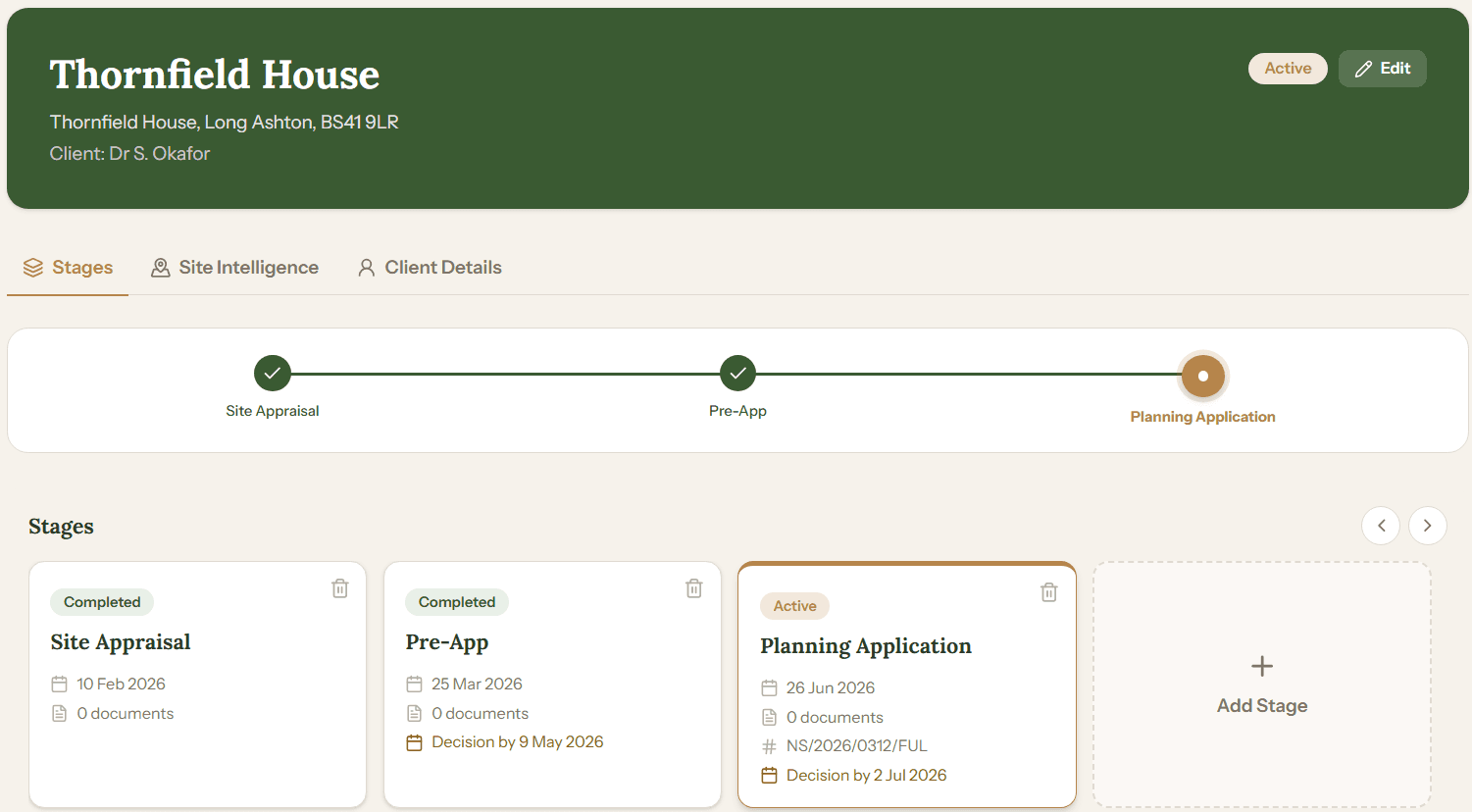
Around sites. Each site holds every stage of its planning journey, from site appraisal to discharge of conditions, with its documents, deadlines and notes.
- A pipeline board shows every site at its current stage and flags what needs attention.
- AI can draft a site’s stages for you when you create it.
- Add live work in bulk from a CSV file.
- Every document for a site in one place, marked internal or visible to the client.
What does PlanProve check for me?
A site’s planning constraints, and the two documents that set your dates and duties: the validation letter and the decision notice.
- Site Intelligence checks an address in England against conservation areas, listed buildings, Article 4 directions, Green Belt, flood risk zones, Tree Preservation Orders and Natural England designations.
- Upload a validation letter and the decision deadline is read from it.
- Upload a decision notice and its conditions are extracted.
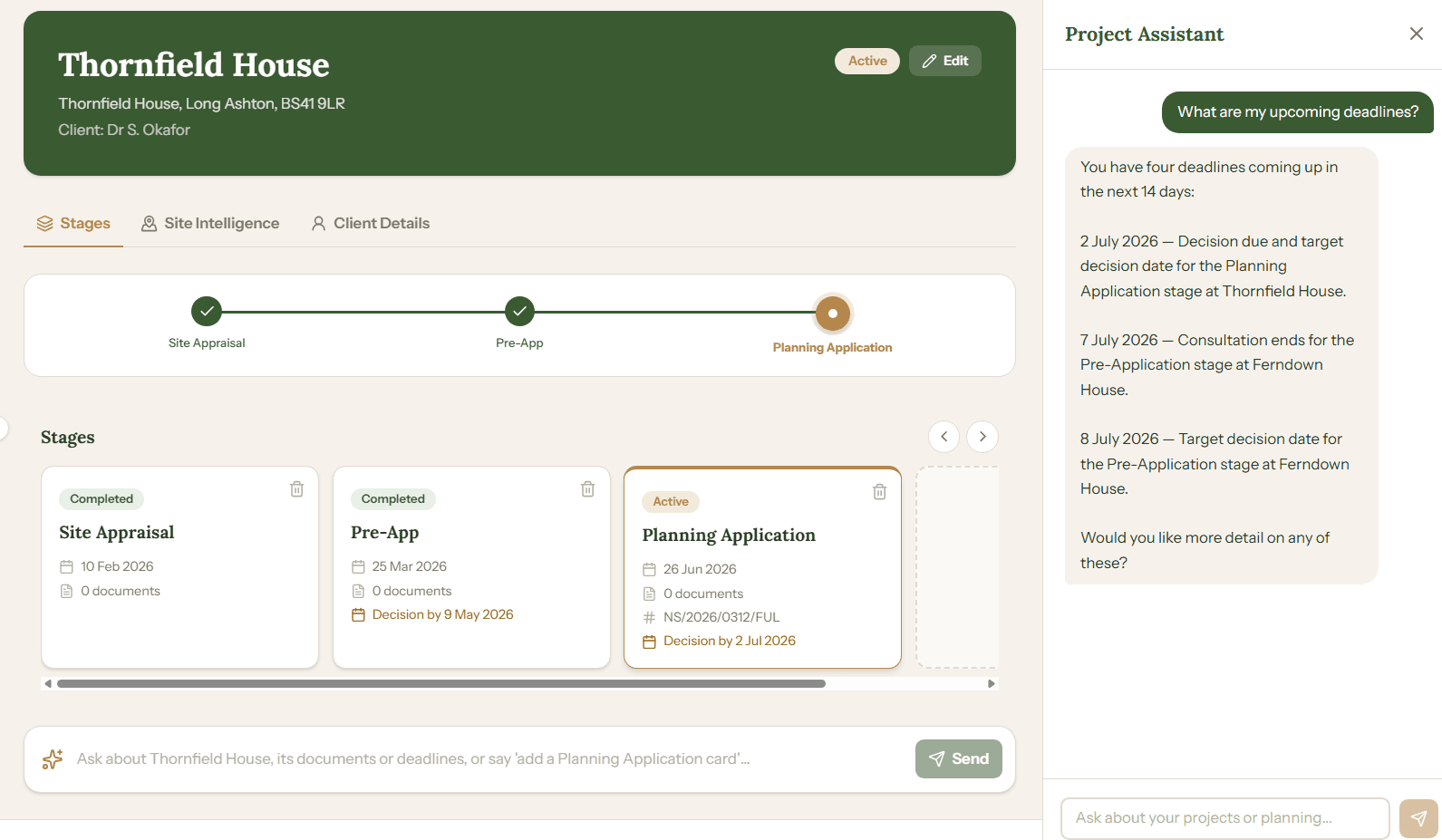
- Ask the AI assistant about your own sites, deadlines, documents and local standards.
How are planning deadlines tracked?
From the validation date and the statutory period, with extensions of time, consultation closing dates and email reminders before the determination date.
- The LPA reference, case officer and key dates on each application.
- Reminders 4 weeks, 2 weeks and 1 week before the determination date, and on the day.
- A consultation closing reminder, and a note when the 26-week planning guarantee passes.
- Conditions tracked from the decision notice through to discharge.
How do I win and bill work?
Through New Business: log enquiries, send fee proposals that clients accept online, convert the work into a site, then invoice and get paid through your own Stripe account.
- An intake link for your website that drops enquiries straight into New Business.
- Branded fee proposals built from fixed fees or hourly rates.
- Invoices paid online, with what is outstanding and what is paid in one list.
- Time logged against a site or task as you work.
- Contacts: the specialists you work with, filtered by discipline.
How does a team work together?
In a practice of up to 10 people: shared sites every member can work on, confidential sites the practice admin can always open, tasks, a noticeboard and a summary of the team’s hours.
- Confidential sites, with view or edit access granted person by person by the practice admin.
- Tasks assigned to colleagues, with due dates and a status.
- A shared noticeboard for the whole practice.
- Invoices on practice work paid to the practice’s own Stripe account.
What can my clients see?
A read-only view of their own site: its progress and the documents you choose to share, nothing more.
- Invite a client by email to follow their site.
- Mark each document visible to the client or keep it internal.
- Clients cannot edit anything or see your other work.
How do I get started?
- 1
Sign up free
Create your professional account. It is free during our founding professional period, with no card required.
- 2
Add your sites
Create a new site or import work you already have. Each site holds its stages, documents and deadlines.
- 3
Run it all in one place
Site intelligence, tracking, fee proposals, invoicing and your whole practice, together in one workspace.
Ready to get started?
Free for verified planning professionals until 3 December 2026. No card required.